
Import and organize evidence
Bring supported security-event exports into a local case workspace, preserve source context, and inspect normalized records.
Meet Phantom: an investigation-first desktop application being developed to help security analysts import evidence, reconstruct activity, test explanations, draft searches, and document findings in one workflow.
Evidence first. Every observation linked to its origin, every conclusion tied to supporting or contradictory signals. This is a design exploration of the next-generation Phantom interface.
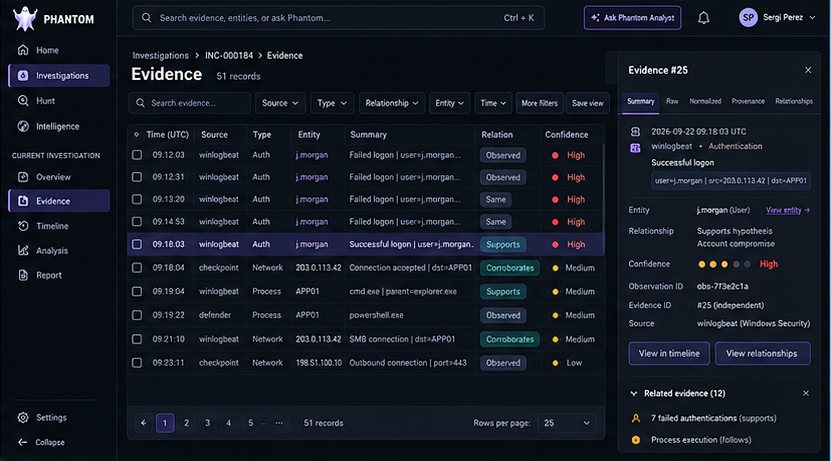
Search and filter source events without losing timestamps, provenance or case context.
Distinguish observations from supporting, contradicting and corroborating evidence.
Keep the selected event and its supporting metadata available beside the evidence ledger.
Design concept only. The images below are separate, actual development-build screenshots using synthetic test cases; Concept B does not represent shipped functionality.
Captured from the running desktop application during a synthetic SOC investigation. Select any screenshot to see the full image.
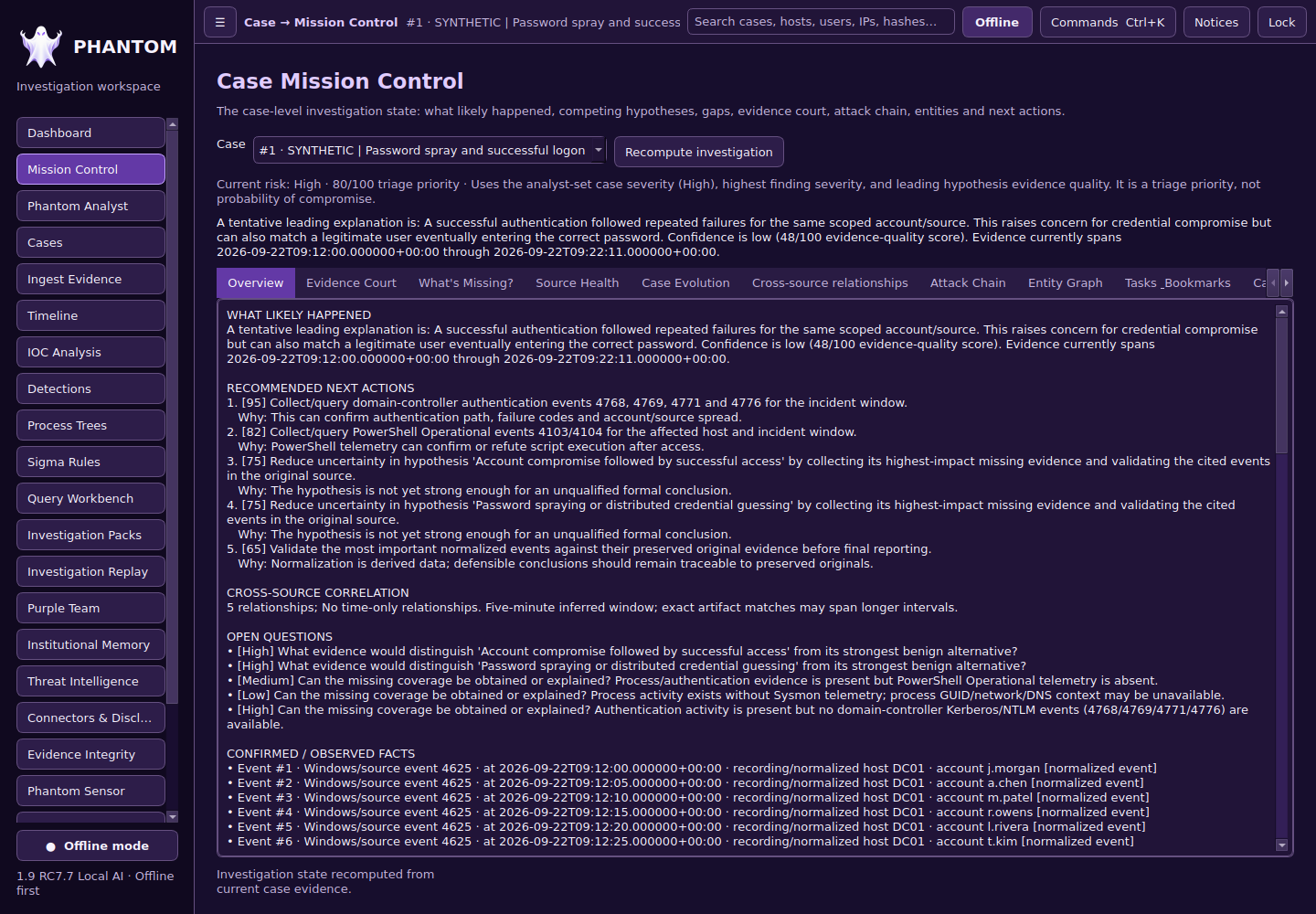
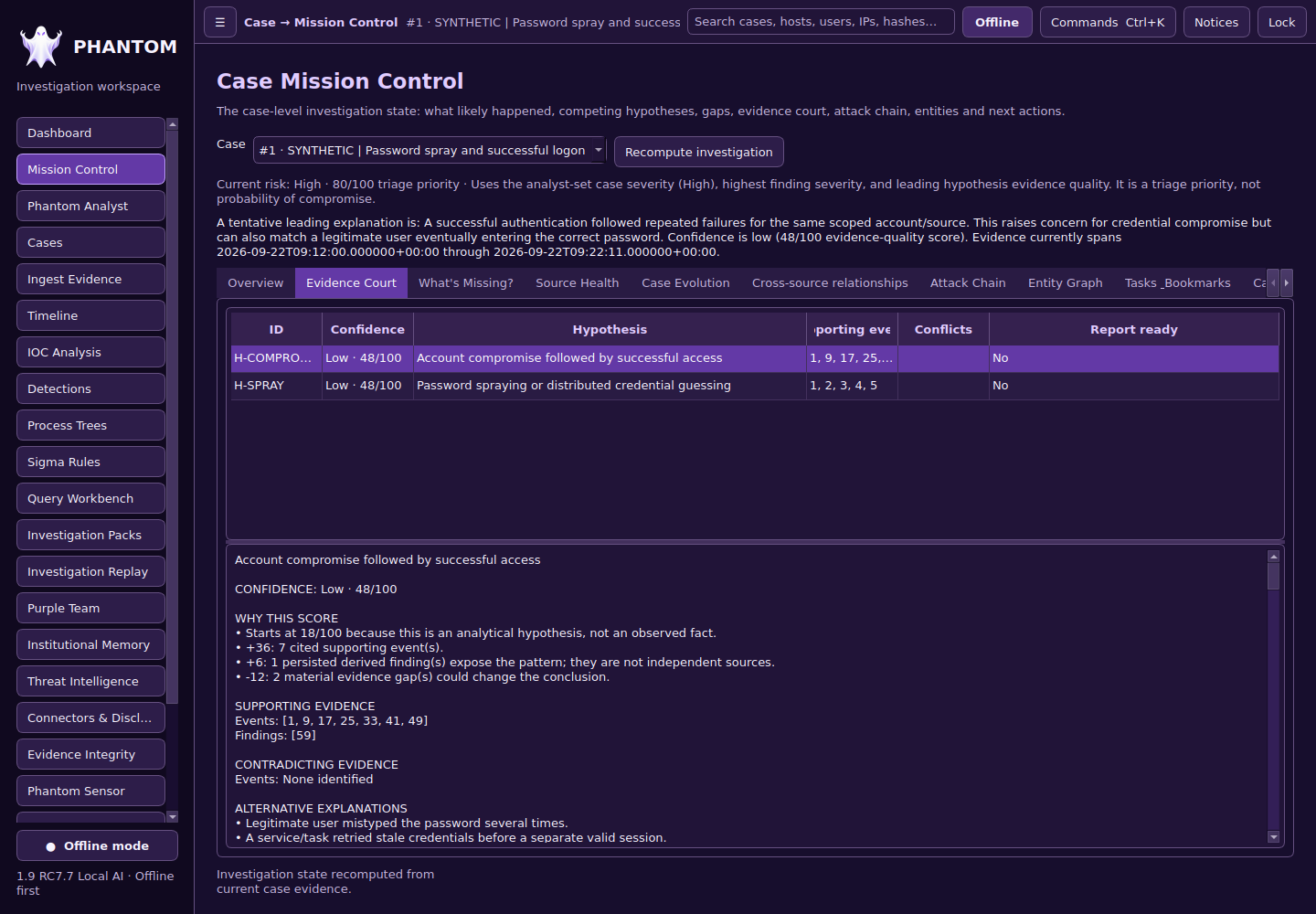
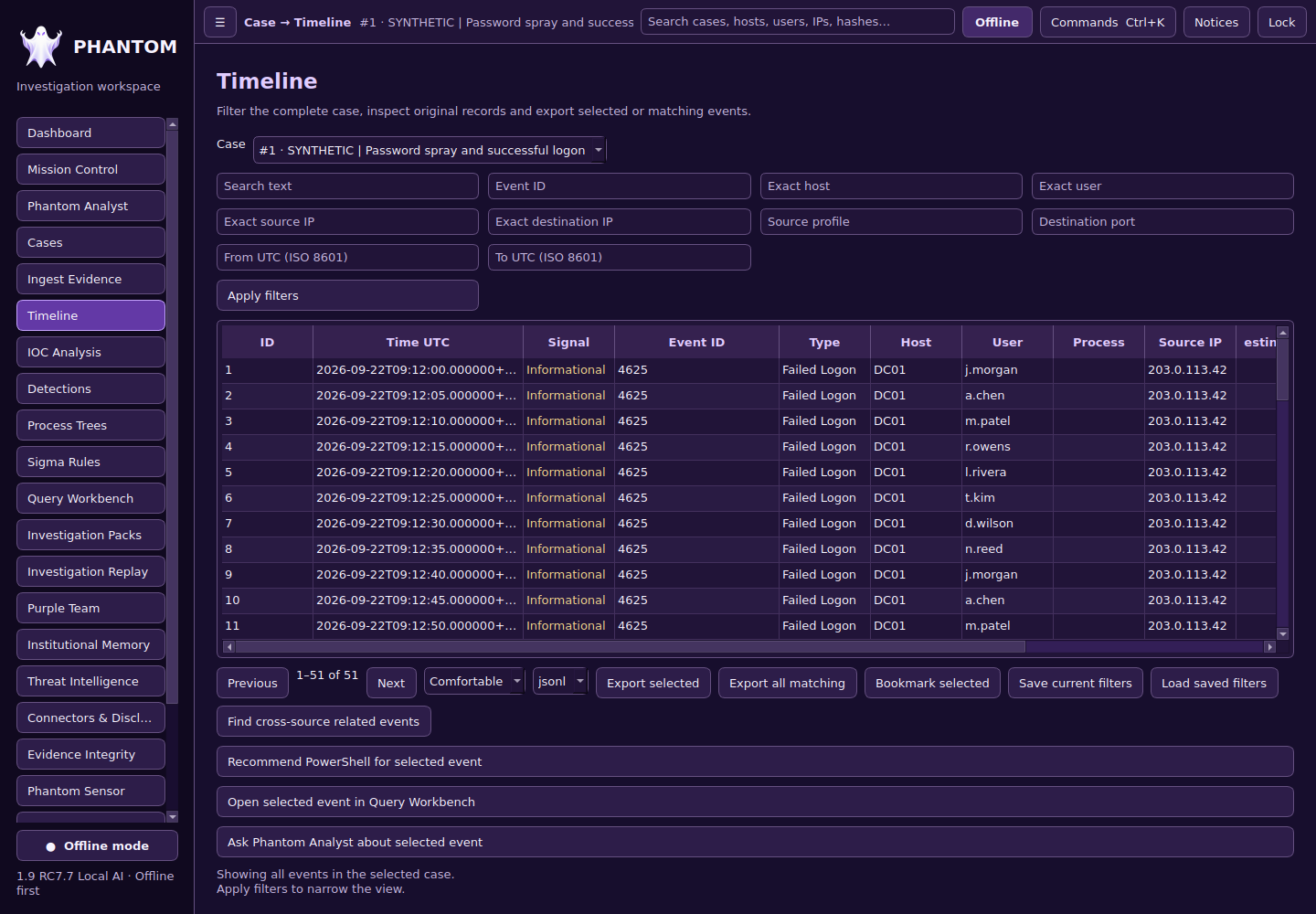
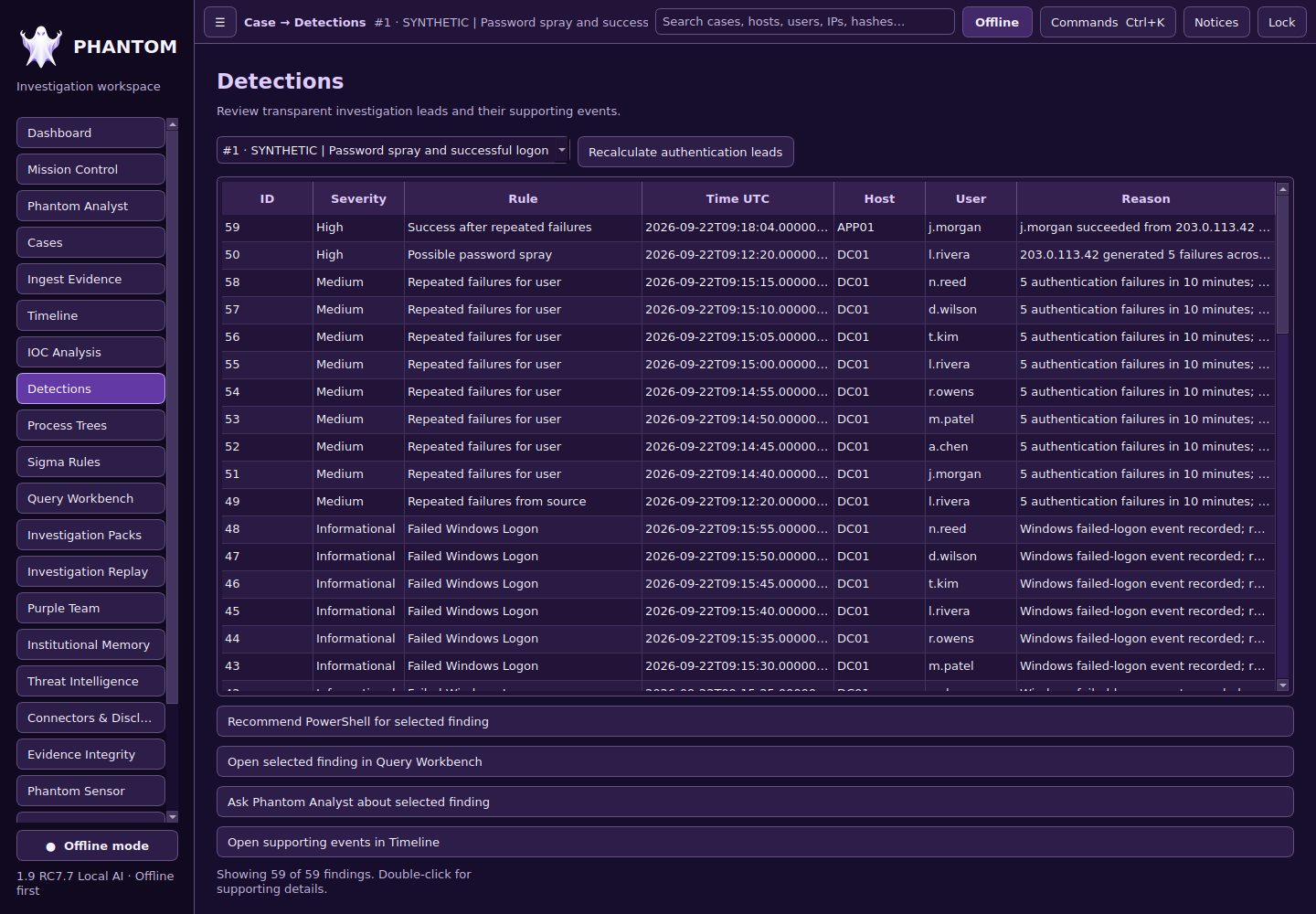
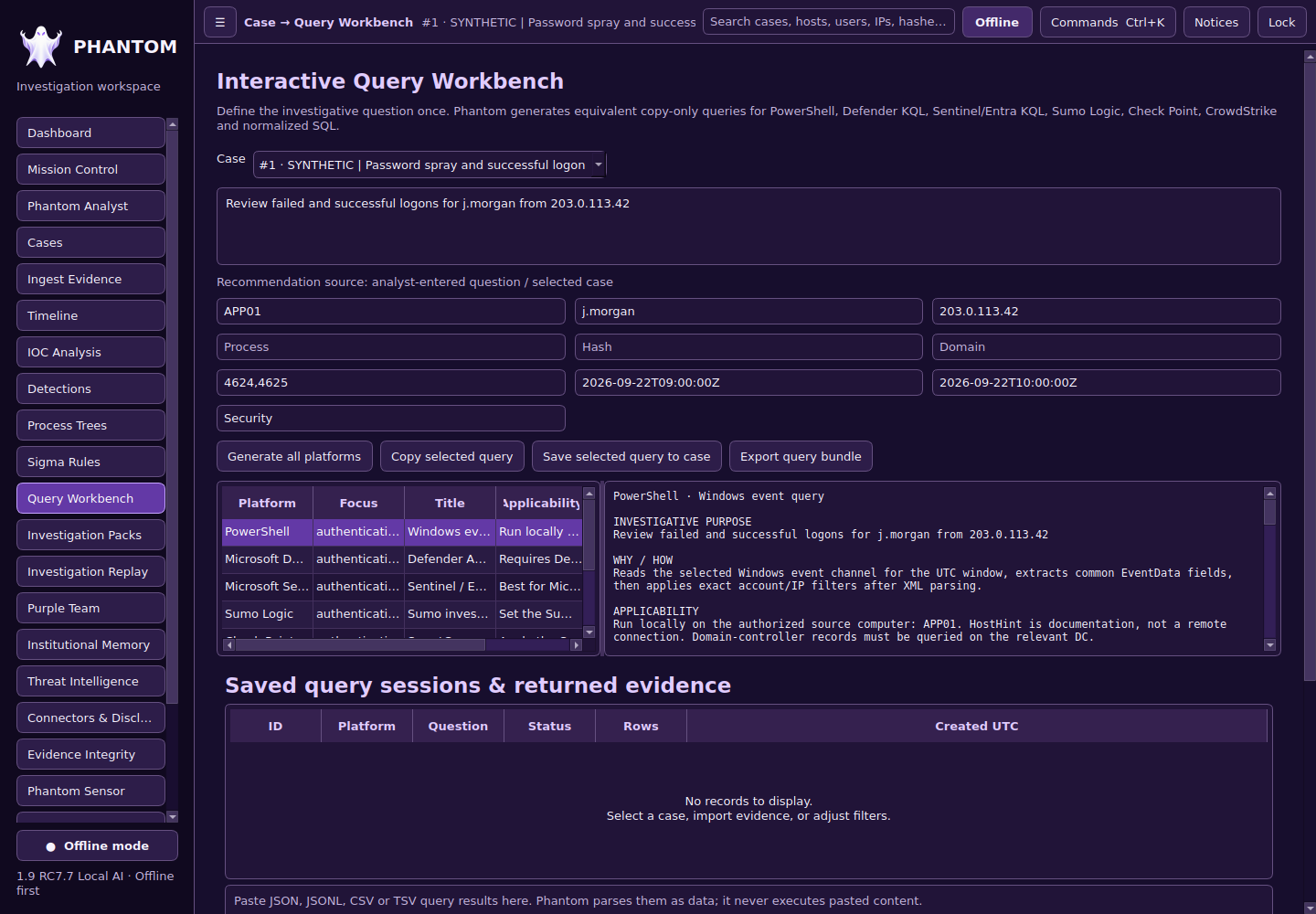
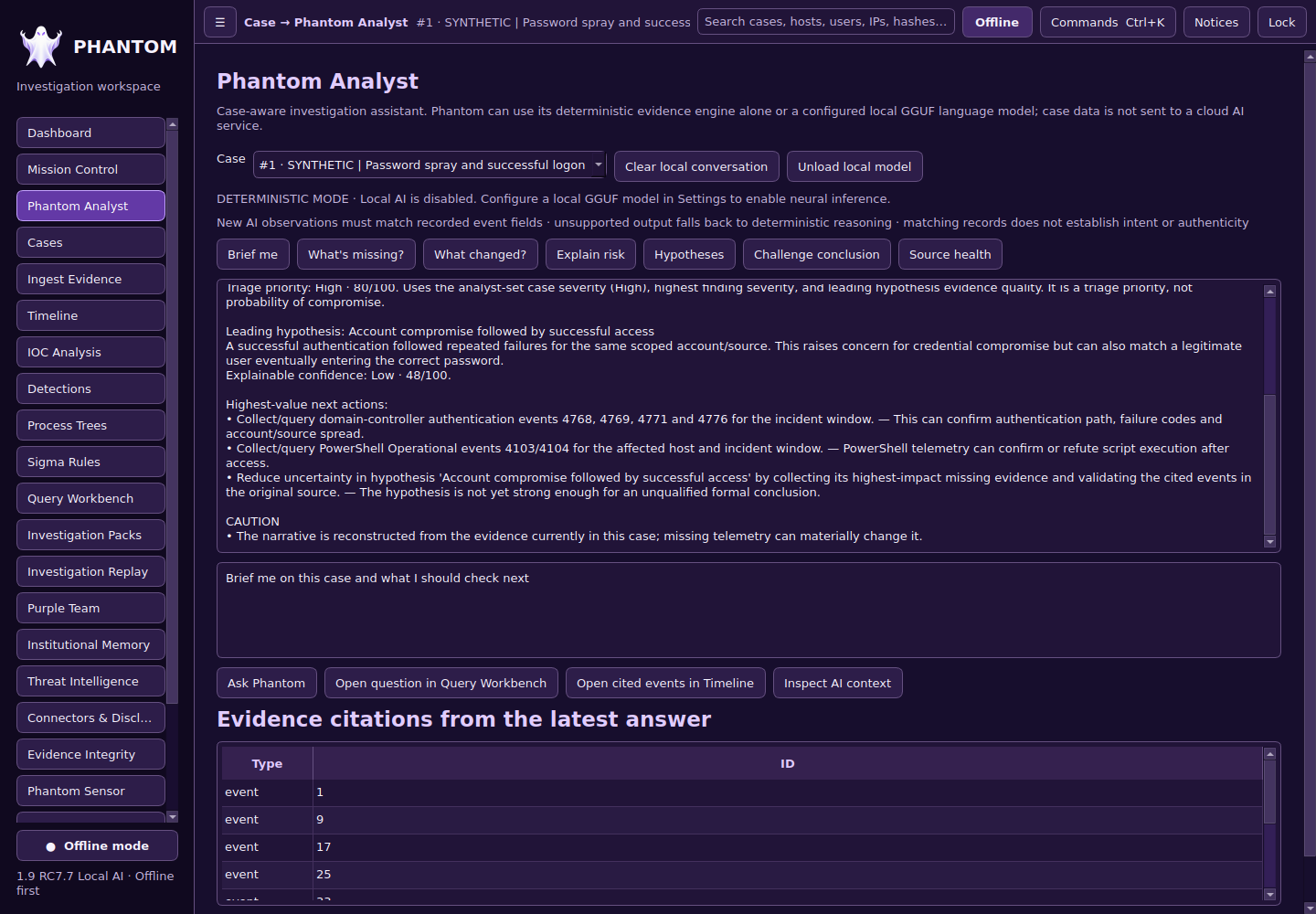
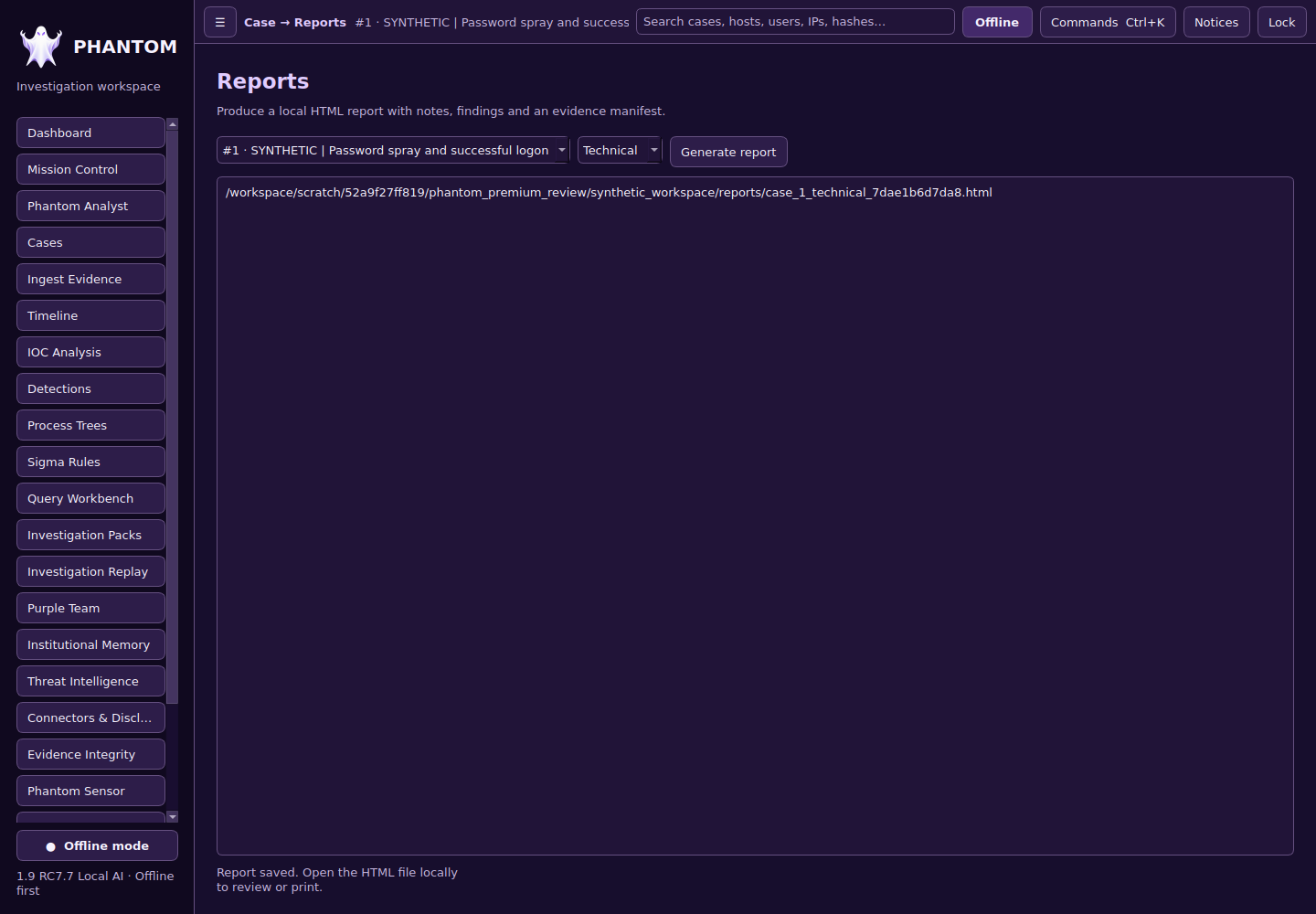
The goal is to shorten the distance between raw security data and a well-supported analyst decision—not to automatically declare every alert malicious.
Bring supported security-event exports into a local case workspace, preserve source context, and inspect normalized records.
Use a timeline, detection results, and entity context to connect events and distinguish confirmed facts from investigative hypotheses.
Ask case-scoped questions, inspect citations, note contradictory evidence, and document what is still unknown. Local AI capabilities remain under development.
Prepare platform-specific searches for tools such as Defender, Sentinel, Sumo Logic, Check Point and CrowdStrike LogScale. Review them before executing in your own environment.
Produce case summaries, investigation packs, evidence references, and next-action recommendations for analyst review.
Prioritize local evidence review without requiring production credentials or sending log files to a public AI service by default. Future integrations will be assessed and disclosed separately.
Phantom is still being developed and tested. We are focusing on correctness, analyst control, reproducibility, and a stable Windows desktop experience before a public release.
Reach out to discuss your security-operations needs, learn about the Phantom development roadmap, or ask about future availability.